Tailor your CV in 90 seconds — right from the job board
The rsumr extension lives inside LinkedIn, Indeed, and Glassdoor. See a job, click the pill, get a tailored CV — without ever leaving the page.
Two surfaces, zero friction
Designed to stay out of your way
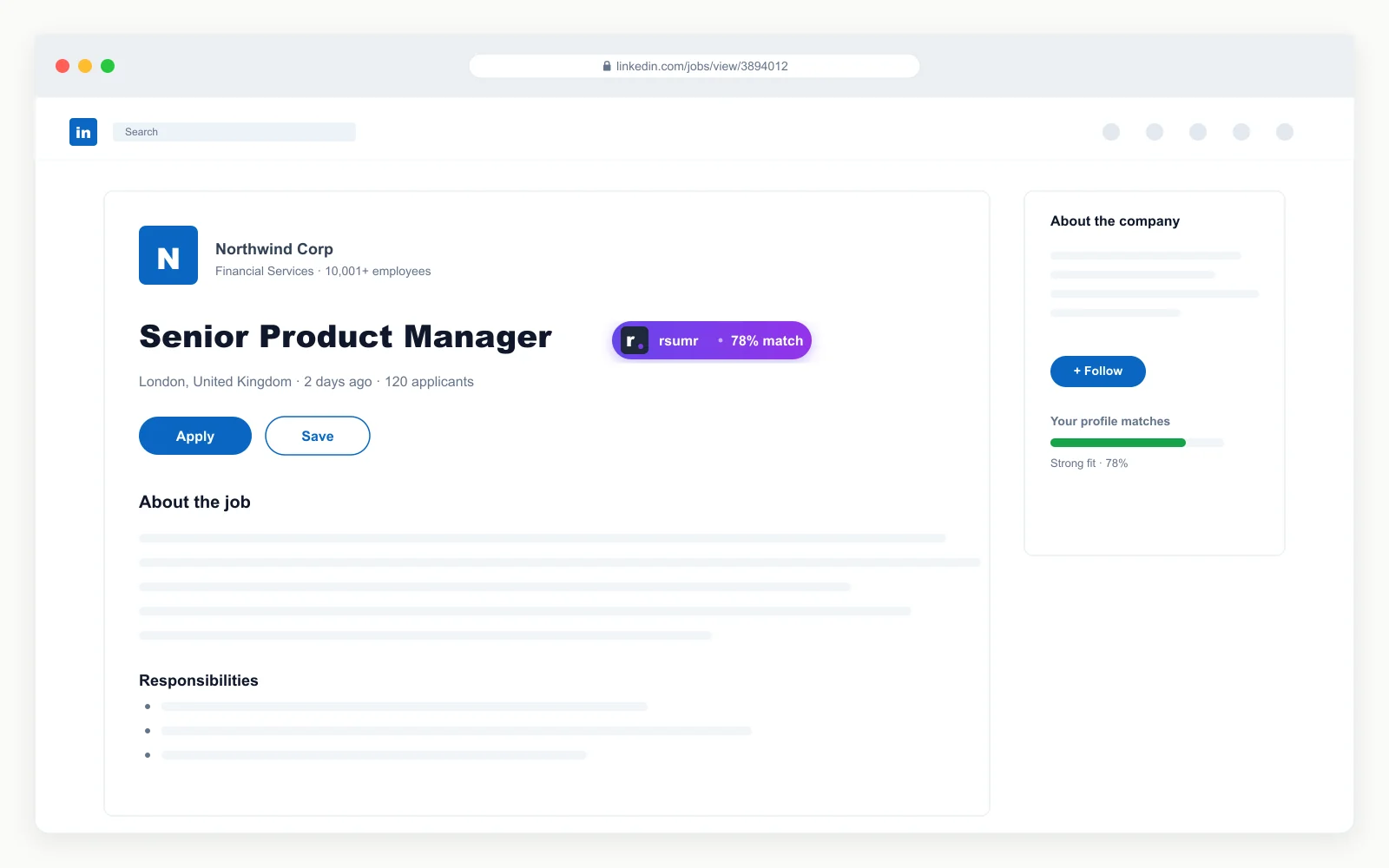
Inline anchor pill
A small, unobtrusive pill appears next to the job title on supported pages. It does not animate, does not push content, and disappears with a single click. Dismiss it once and it stays hidden for 30 days on that site.
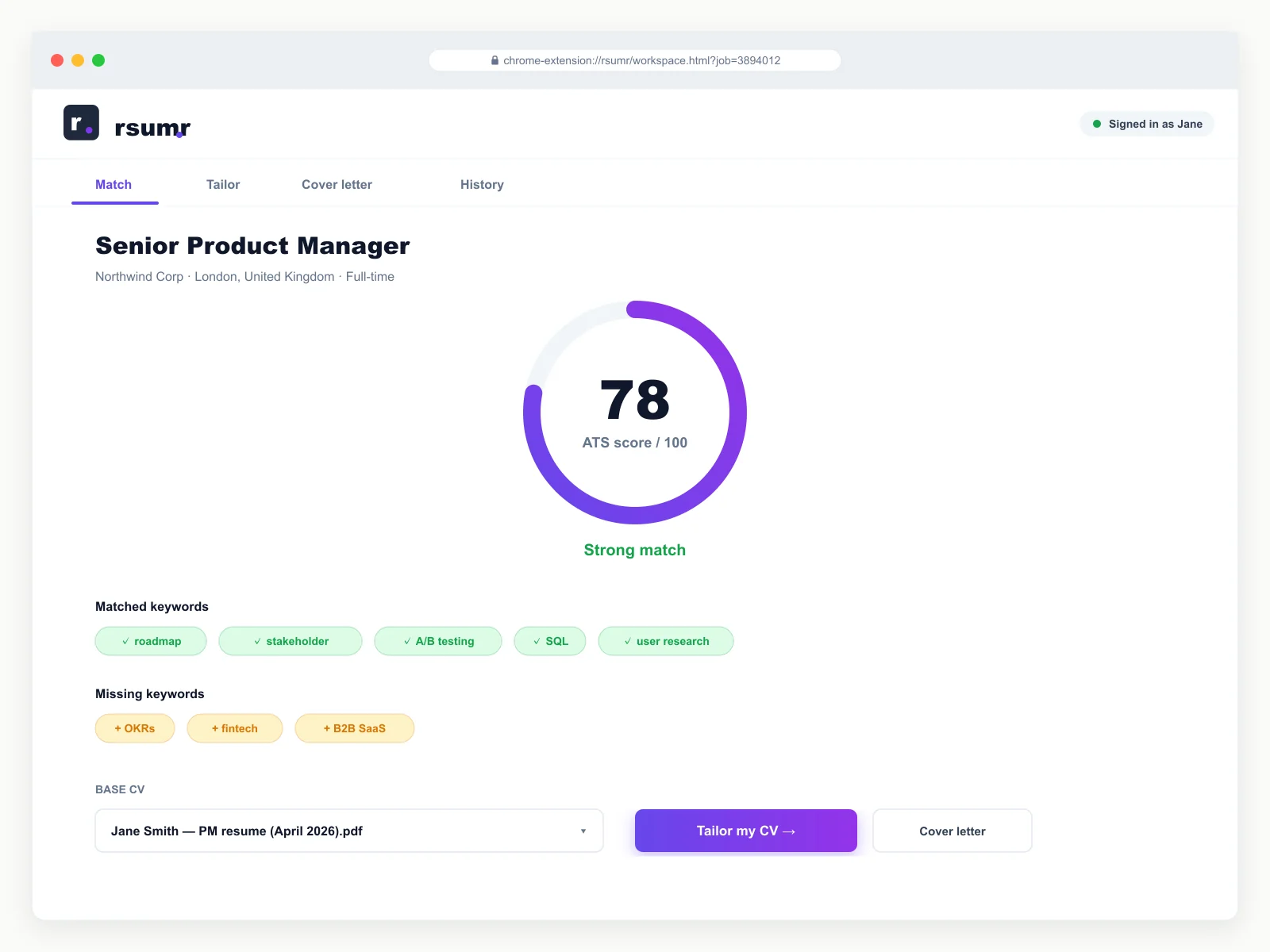
Full workspace tab
Click the pill and a dedicated browser tab opens with the job already parsed. Match scoring, CV tailoring, cover letter generation, download history — everything happens here, not crammed into a popup.
How it works
See a job. Click. Apply.
No copy-pasting job descriptions. No switching tabs. The extension brings rsumr to you.
See a job you like
Browse LinkedIn, Indeed, or Glassdoor as normal. When you find a role, click the rsumr pill next to the job title.
rsumr opens your workspace
A dedicated tab opens with the job already parsed. Pick your base CV, review the match score, and hit Tailor.
Download your tailored CV
In under 90 seconds you have an ATS-optimised CV and optional cover letter. Download as PDF or DOCX and apply.
Supported job boards
Works where you already search
Stop copy-pasting job descriptions
Install the extension, upload your CV once, and tailor every application in 90 seconds.
Get started free